Security, Accessibility, and SEO Aren’t Separate
When I audit a website, I check things most people assume are unrelated: whether the site is secure, whether it’s accessible, and how well it’s actually found, in search and increasingly by the AI tools people now ask directly. In my experience, these are almost never separate problems. They’re the same problem showing up in different places.
Search engines, screen readers, and AI assistants all read your site the same way
A search engine crawler doesn’t see your website. It doesn’t see your colors, your layout, or your beautiful photography. It reads code: headings, alt text on images, link structure, page hierarchy. A screen reader, the software a blind or low-vision visitor uses to navigate your site, reads it almost exactly the same way. Neither one experiences your site visually. Both depend entirely on whether your underlying structure actually makes sense.
The same is true of the AI assistants an increasing number of people now ask directly instead of searching and clicking through. When someone asks ChatGPT, Perplexity, or Google’s AI Overview about your organization, or about a topic your organization covers, that tool is reading your site the same way a crawler does: through its structure, not its design. A page with a clear heading hierarchy, descriptive text, and clean markup is more likely to be understood and cited accurately. A page that’s visually polished but structurally messy is effectively invisible to all three readers: crawlers, screen readers, and AI assistants alike.
This is why I don’t treat SEO as “ranking on Google” anymore. It’s closer to making sure your site can be read, accurately, by anything trying to read it: human or automated, search engine or AI assistant. Descriptive alt text on an image helps a screen reader tell a visitor what they’re looking at, helps Google understand what the image is, and helps an AI assistant describe your work correctly when someone asks it a question you never see. Most organizations hire someone for accessibility and someone else, or no one, for SEO, without realizing that doing one well gets you most of the way toward the other two.
Security failures show up as SEO failures
Security is less obviously connected, but the link is just as direct. Google has used HTTPS, meaning your site has a valid security certificate, as a ranking factor since 2014. Browsers now actively warn visitors when a site doesn’t have one, labeling it “Not Secure” right in the address bar before a visitor has read a single word of your content. That warning alone drives people away, and Google notices when visitors bounce immediately.
If a site does get compromised, malware, a hacked plugin, a defaced page, Google can flag it directly in search results with a warning that the site “may be hacked,” or remove it from search results entirely until it’s cleaned up. I’ve seen nonprofits lose weeks of visibility this way, not because their content got worse, but because an outdated plugin gave someone an opening.
None of this is about SEO tricks. It’s about whether your site is trustworthy enough for Google, and increasingly an AI assistant summarizing it, to keep recommending it, which is exactly the same question a funder or a visitor is asking when they land on it.
Accessibility gaps are a liability exposure, not just a UX one
It’s tempting to file accessibility under “user experience” and security under “risk,” as if they belong to different conversations. In practice, they’re discovered the same way. Plaintiff’s law firms now run automated accessibility scanners across thousands of nonprofit and small business websites looking for exactly the kind of gap a security bot looks for: not because a person visited the site and got frustrated, but because a script found a pattern it could act on. The demand letter that follows works a lot like a breach notice. Nobody involved has to have actually used your site for the exposure to be real.
This is why I don’t file ADA compliance under “nice to have” the way some agencies still do. An inaccessible site isn’t only a worse experience for some visitors. It’s an open door that gets found automatically, the same way an outdated plugin does.
Why this compounds for nonprofits and museums
Nonprofits, museums, and other public-facing institutions carry more exposure here, not less. They’re exactly the sector these scanning tools target: organizations that serve the public but often run older sites with the smallest technical budgets. And the visibility cost isn’t abstract. If your search or AI visibility quietly declines because of a security or accessibility issue, you haven’t just taken on legal risk, you’ve lost part of the pathway funders and donors use to find you in the first place.
This is the same pattern I’ve written about before with website ownership: the risk isn’t usually a dramatic failure. It’s a slow, invisible decline that nobody notices until someone goes looking, whether that’s a funder doing due diligence, a visitor who can’t navigate your site, or a scanner working through a list.
The real fix isn’t three separate vendors
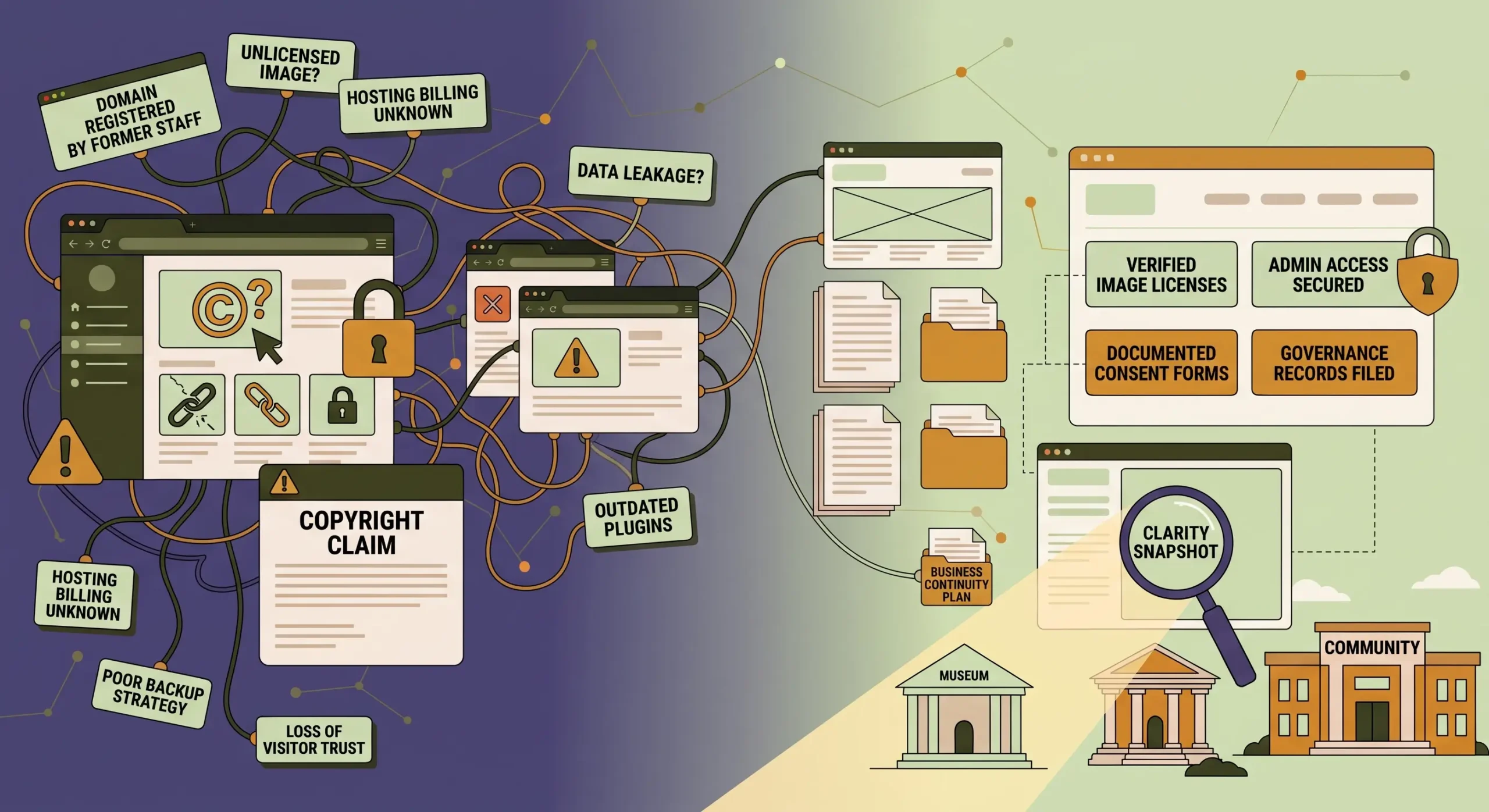
Most organizations end up here because they’ve treated security, accessibility, and SEO as three unrelated purchases: an accessibility overlay plugin, an SEO consultant, and whatever security plugin came with the hosting plan. That fragmented approach misses exactly the overlap that makes fixing one of these easier when you fix it alongside the others.
The more sustainable approach is a single technical health review that looks at all of it together, because in practice, it’s one system: how your site is built, how well it’s maintained, and whether it can be trusted, by search engines, by screen readers, by AI assistants, and by the people you’re actually trying to reach.
The Executive Website Clarity Assessment includes exactly this kind of check. It’s not three separate audits stitched together. It’s a look at whether your site’s underlying structure is doing its job for every kind of visitor trying to read it, human or otherwise.
If you’re not sure whether your site’s security, accessibility, or visibility is quietly working against you, I’d rather help you find out before a funder, a visitor, or a lawsuit does. Book the Executive Website Clarity Assessment.
“The power of the Web is in its universality. Access by everyone regardless of disability is an essential aspect.” – Tim Berners-Lee, inventor of the World Wide Web
Frequently Asked Questions
Is website accessibility actually a legal requirement for nonprofits?
Yes. Title III of the ADA has been applied to websites by courts even though it doesn’t name websites explicitly, and nonprofits that serve the public are treated the same as any other public-facing organization. Accessibility lawsuits and demand letters targeting nonprofits and small organizations have become common, often generated by automated scans rather than an actual visitor complaint.
How does website security affect SEO rankings?
Google has used HTTPS as a ranking signal since 2014, and a hacked or malware-flagged site can be demoted or removed from search results entirely until it’s cleaned up. Beyond ranking, a “Not Secure” browser warning drives visitors away before they read a word of your content, which search engines also notice.
What is AI visibility, and how is it different from traditional SEO?
AI visibility is whether AI assistants like ChatGPT, Perplexity, or Google’s AI Overview can accurately read, understand, and cite your website when someone asks a question related to your organization. It depends on the same clean structure, headings, and clear content that traditional SEO and accessibility both rely on, so improving one tends to improve the others.
Can an inaccessible website really lead to a lawsuit?
Yes, and often without anyone from the organization realizing there was a problem first. Plaintiff’s law firms run automated accessibility scanners across large numbers of websites looking for specific technical gaps, then send demand letters, similar to how security scanners look for vulnerabilities to exploit.
Is fixing accessibility for compliance different from fixing it for SEO or AI visibility?
Not usually. The technical changes that satisfy accessibility standards, like alt text, heading structure, and clear link text, are largely the same changes that help search engines and AI tools understand and rank your content. Treating them as one project instead of two is both more efficient and more accurate to how the underlying code actually works.

Author Bio
Frances Naty Go is the founder and Website Systems Architect of Goldlilys Media, a San Diego web systems consultancy established in 2013. She builds website masterpieces for museums, cultural institutions, nonprofits & mission-driven organizations in healthcare and life sciences: structured sites that educate, earn trust, and stay easy for teams to update for years.
Frances has built websites professionally since 2010 and has supported the Balboa Park Online Collaborative’s web systems since 2015. A UC San Diego Computer Science graduate, she leads both strategy and build on every engagement, combining durable architecture, SEO, and AI visibility so the organizations she serves are found, understood, and trusted.
Does Your Website Still Fit Where You're Headed?
A five-part checklist to help museums, nonprofits, and mission-driven organizations assess whether your website needs a redesign, a rebuild, or something else entirely.